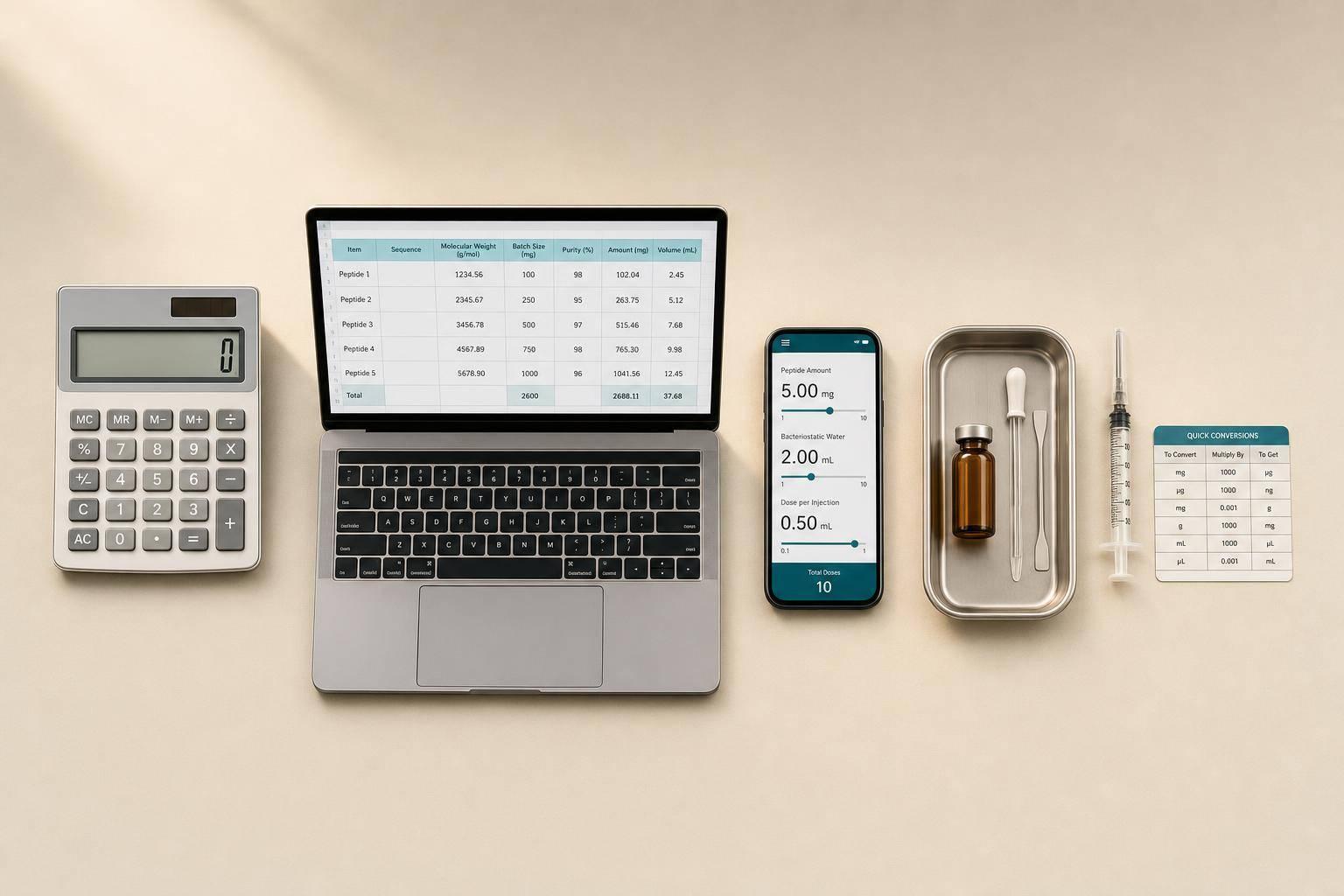
Peptide batch calculations ensure precise dosing by converting prescribed amounts into accurate injection volumes. This process involves three key factors: vial peptide mass, diluent volume, and target dose. To simplify these calculations and avoid errors, here are five tools you can use:
- PeptidePrescriber Clinical Calculators: A professional-grade tool tailored for healthcare providers. It offers reconstitution calculators, dosing protocols, and unit conversions.
- Spreadsheet-Based Peptide Planners: Customizable templates for managing multi-compound protocols, inventory, and vial duration.
- Dedicated Peptide Apps: Apps like Peptides Math and PeptideCalc.io automate reconstitution math, track inventory, and support titration planning.
- Pharmaceutical Dose Calculators: Basic tools for calculating concentration, dose volume, and syringe units.
- Unit Conversion & Syringe Tools: Simple tools for converting between mg, mcg, mL, and interpreting syringe markings.
Quick Comparison
| Tool Category | Best For | Key Features | Limitations |
|---|---|---|---|
| PeptidePrescriber | Clinical settings | Dosing protocols, reconstitution, conversions | Requires professional access |
| Spreadsheet Planners | Multi-compound protocols | Batch scaling, inventory tracking | Manual input required |
| Dedicated Apps | Automated peptide workflows | Reconstitution, inventory, titration | Paid features in some apps |
| Pharmaceutical Calculators | Basic dose/concentration math | Concentration, dose volume, syringe units | No peptide-specific guidance |
| Unit Conversion & Syringe Tools | Quick conversions and accuracy | mg/mcg/mL conversions, syringe interpretation | Limited to single calculations |
Each tool has its strengths, so combining them ensures accuracy and efficiency in peptide preparation.
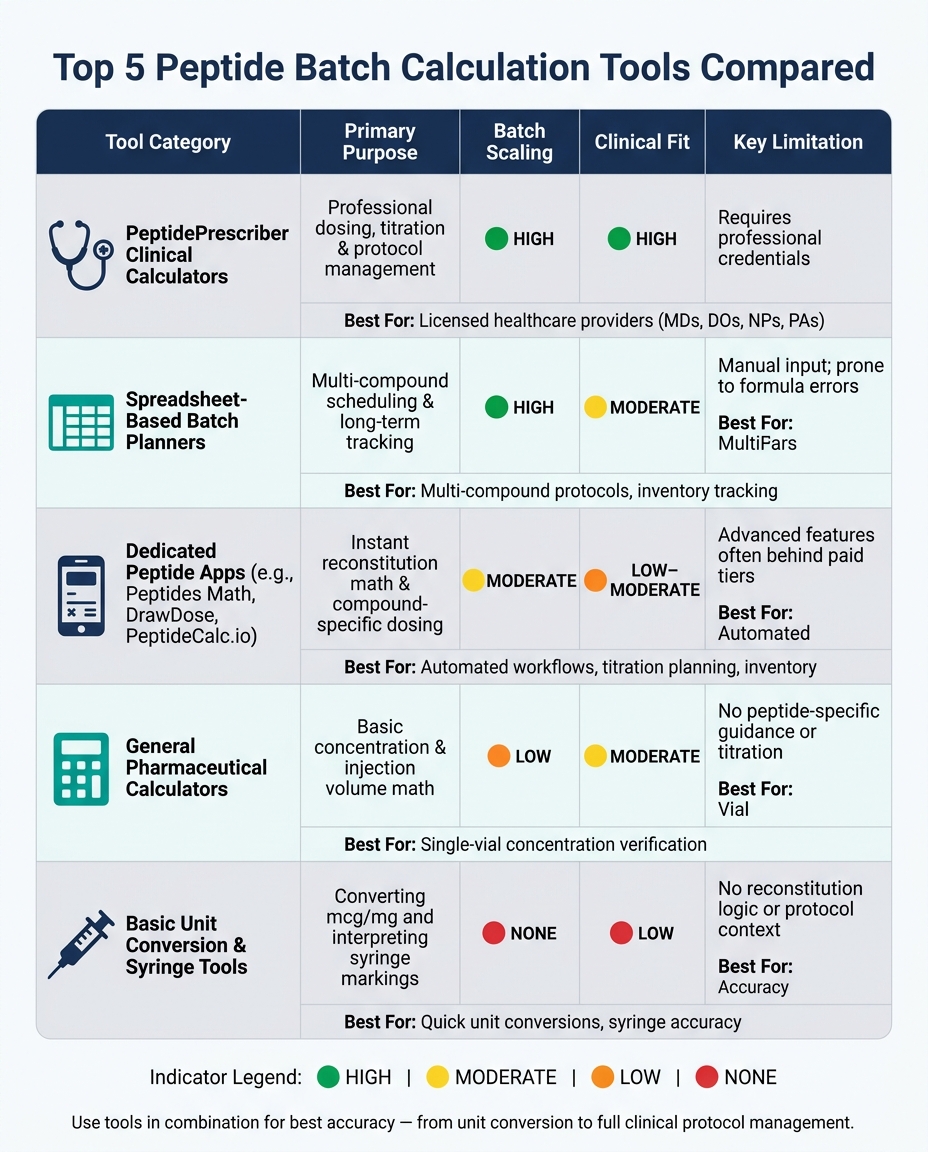
Top 5 Peptide Batch Calculation Tools Compared
The Most Complete Free Peptide Calculator on the Internet
sbb-itb-7164bd9
1. PeptidePrescriber Clinical Calculators
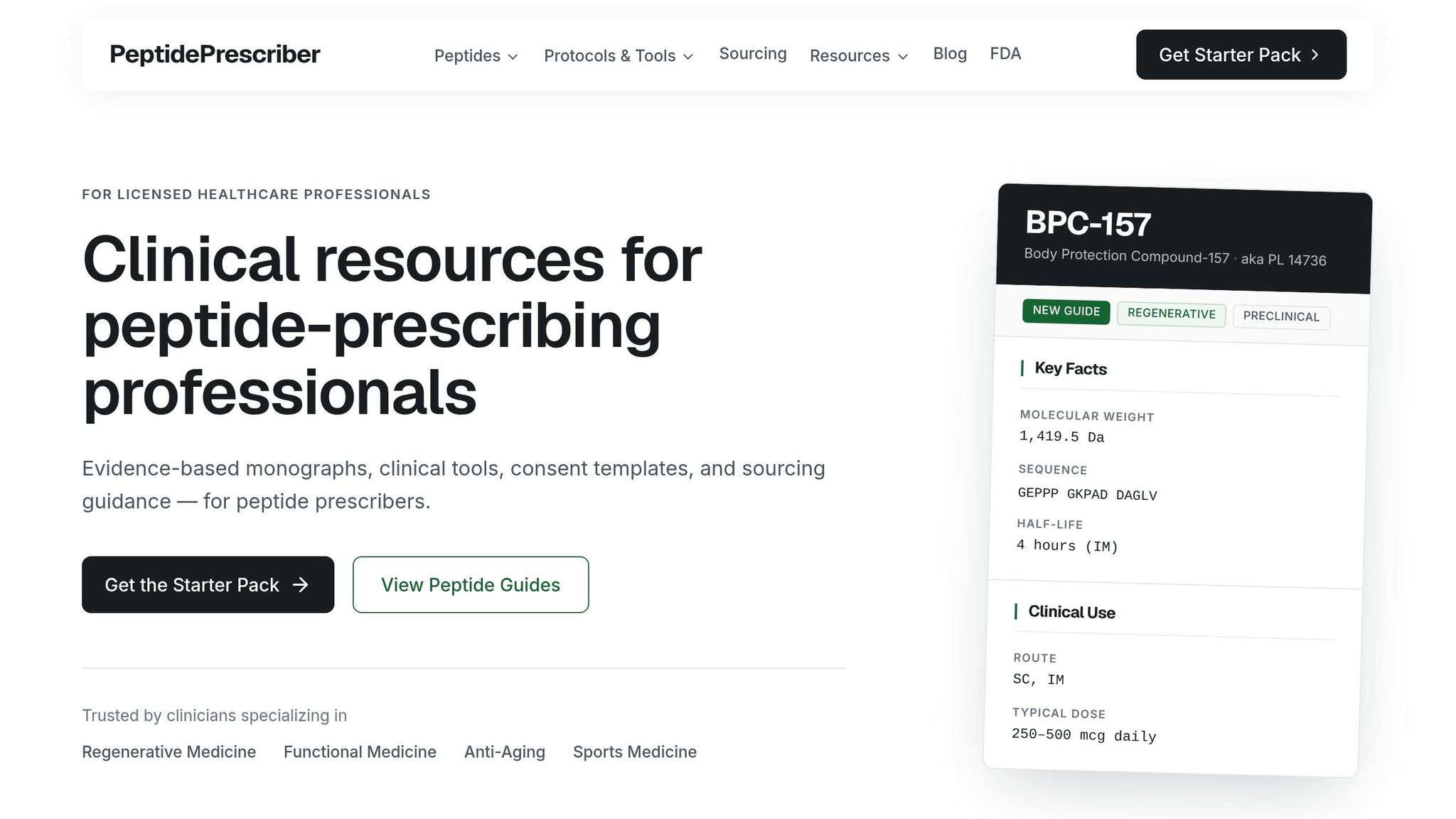
PeptidePrescriber is designed exclusively for licensed healthcare professionals - MDs, DOs, NPs, and PAs - who prescribe peptide therapies in clinical and outpatient settings. Its features are crafted to align with clinical workflows, streamlining daily operations.
At the heart of the platform is the Reconstitution Calculator, a tool for peptide batch preparation. Simply input the vial size and target dose, and it instantly provides the precise syringe measurement. The calculation follows this formula: dose volume (mL) = target dose (mg) ÷ (peptide mass per mL). To further minimize errors, the platform also converts seamlessly between mcg, mg, mL, and insulin units, ensuring accurate dosing every time.
The calculator is integrated with other clinical tools, including dosing protocols, an AI-powered Research Assistant, and FDA compounding guidance. Users gain access to 20 peptide monographs, 6 prescribing guides, 5 clinical tools, and 3 regulatory references - updated monthly for the latest information. A Quick Launch dashboard allows clinicians to jump directly to the Reconstitution Calculator, Dosing Protocols, or AI Research Assistant from one central hub.
"Every protocol cites primary literature. Verify the evidence yourself." - PeptidePrescriber
With its pharmacy-agnostic design, PeptidePrescriber delivers unbiased, accurate, and compliant guidance. Keep reading to discover more tools that make peptide batch calculations easier and more efficient.
2. Spreadsheet-Based Peptide Batch Planners
For clinicians seeking a balance between simplicity and customization, spreadsheet-based planners provide a middle ground. They automate the core math - using the standard formula:
dose volume (mL) = target dose (mg) ÷ (vial mass (mg) ÷ diluent volume (mL))
This approach ensures accuracy while offering full transparency into each calculation step. It’s a practical solution for those who want more control without fully relying on clinical platforms.
These planners go beyond basic calculations, offering advanced features like batch scaling and managing multi-compound protocols. For instance, with advanced templates, you can plan peptide stacks (e.g., BPC-157 + TB-500), calculate how long a vial will last based on dosing frequency, and even track when reorders are needed. This level of inventory management is invaluable in a busy clinical setting, where staying organized is key. Plus, spreadsheet planners can seamlessly integrate into existing workflows, making them a handy supplemental tool.
One critical point: always recalculate the draw volume with every new vial, even if the prescribed dose in milligrams remains unchanged. Adjustments to the bacteriostatic water volume by the pharmacy can change the concentration, impacting the volume you need to draw.
"The most common error is treating 'units' as 'milligrams'. They measure different things, and only line up coincidentally at one specific concentration." - Titrate
Here’s a quick comparison of advanced spreadsheet planners versus basic calculators:
| Feature | Basic Calculator | Advanced Spreadsheet Planner |
|---|---|---|
| Reconstitution Math | Yes | Yes |
| Unit Conversion | Limited | Full (mcg/mg/mL/Units) |
| Stack Planning | No | Yes (multi-compound) |
| Vial Duration & Inventory | No | Yes |
| Protocol Export | No | Yes (PDF, calendar) |
| Cost per Dose Tracking | No | Yes |
While advanced spreadsheet planners offer robust features like unit conversions, multi-compound scheduling, and cost tracking, they do require occasional updates and lack the clinical safeguards of specialized platforms. They’re best used as an additional workflow tool, complementing other clinical resources rather than replacing them.
3. Dedicated Peptide Dosage and Reconstitution Apps
Managing peptide workflows can be tricky, especially with manual spreadsheet planners that require constant updates. That’s where dedicated peptide apps step in, automating calculations and simplifying daily tasks. Unlike spreadsheets, these apps are designed specifically for peptide-related needs, offering features that go beyond simple math. Tools like Peptides Math, DrawDose, and PeptideCalc.io come with built-in compound-specific settings. For instance, DrawDose supports over 70 peptide compounds, while Peptides Math provides 84 research-grade calculators covering compounds such as BPC-157 and newer options like SLU-PP-332.
One standout feature is syringe precision optimization. These apps calculate the exact amount of diluent needed, ensuring your syringe draw falls between 10–50 units on a U-100 insulin syringe. This range is ideal for accuracy and minimizes human error.
"Water volume is calculated to keep your draw between 10–50 units on the syringe - easy to measure, hard to mess up." - DrawDose
For outpatient clinics handling multiple patients or compounds, inventory tracking is a game-changer. PeptideCalc.io, available as a one-time purchase on the iOS App Store, tracks vial-specific data, monitors remaining doses, and creates week-by-week titration schedules. This is particularly helpful for GLP-1 ramp-ups where dosages change frequently. It even syncs with Apple Health to log weight and other biometrics alongside dose history.
"PeptideCalc turns one-off calculations into a protocol library for nearly any medication type... Keep the dose, syringe pull, inventory, and next action ready at a glance." - PeptideCalc.io
Another important tip: always use the COA-verified peptide amount rather than relying on the labeled figure. A vial labeled as "10 mg" might actually contain 9.2 mg or 10.8 mg, and these discrepancies can add up over time.
"Using the COA-verified amount instead of the label amount ensures your dosing math is accurate." - DrawDose
| Feature | Peptides Math | DrawDose | PeptideCalc.io |
|---|---|---|---|
| Platform | Web | Web | iOS (iPhone/iPad) |
| Compound Presets | 84+ | 70+ | Customizable + GLP-1 Presets |
| Inventory Tracking | No | No | Yes |
| Titration Planning | No | No | Yes |
| Offline Access | No | Yes | Yes |
| Price | Free | Free | One-time purchase |
For the best results, pair these apps with a trusted clinical resource that provides dosing protocols, regulatory insights, and prescriber guidance. This combination can significantly improve dosing accuracy and streamline workflows.
4. General Pharmaceutical Dose and Concentration Calculators
General pharmaceutical dose and concentration calculators handle the essential math for reconstituting peptides. Tools like Peptide Pilot, CalculatePeptide, and the Peptide Performance Calculator rely on a straightforward formula:
Concentration (mg/mL) = Total Peptide (mg) ÷ Diluent Volume (mL).
These tools then convert the calculated concentration into dose volumes and syringe units.
"Peptide math is almost entirely arithmetic on a single number: the concentration of the reconstituted vial, expressed in milligrams of peptide per milliliter of bacteriostatic water." - Peptide Pilot
One of their key strengths lies in unit conversion. Mistaking milligrams (mg) for micrograms (mcg) is a common error in peptide preparation. For instance, entering 250 mg instead of 250 mcg can lead to a 1,000-fold miscalculation. Quality calculators help avoid such errors by clearly distinguishing input fields for different units. They also support bidirectional conversions, allowing users to double-check doses by working backward from syringe units. Paired with accurate syringe selection, these tools significantly enhance dosing precision.
Another critical aspect is syringe compatibility. Most calculators default to the U-100 insulin syringe standard (100 units = 1 mL), as required by the FDA and detailed in the U.S. Pharmacopeia. However, some calculators also consider U-40 syringes, where a "10 unit" mark corresponds to 2.5 times the volume of the same mark on a U-100 syringe. Using the wrong syringe type or calculator setting can lead to serious dosing mistakes.
Here’s a quick reference table summarizing the essential formulas used by these calculators, which can also serve as a manual double-check:
| Calculation Goal | Formula | Output Unit |
|---|---|---|
| Concentration | Vial mg ÷ Diluent mL | mg/mL |
| Volume per Dose | Target Dose (mg) ÷ Concentration (mg/mL) | mL |
| Syringe Units (U-100) | Volume (mL) × 100 | Units |
| Doses per Vial | Total Vial mg ÷ Target Dose (mg) | Doses |
| Mass Conversion | mg × 1,000 | mcg |
A helpful practice: once your calculations are complete and the vial is mixed, label it immediately with the concentration and reconstitution date. This simple step prevents errors and eliminates the need for recalculations. For small draw volumes, choose the smallest syringe that fits the dose. For instance, a 0.3 mL syringe provides greater accuracy for a 20-unit draw compared to a 1 mL syringe.
5. Basic Unit Conversion and Syringe Interpretation Tools
Even with a well-calculated reconstitution formula, the last step - translating that calculation into the correct syringe marking - is where mistakes often happen. This is where basic unit conversion and syringe interpretation tools come into play. These tools bridge the gap between calculated mass (mg or mcg), volume (mL), and the syringe barrel's physical markings. They ensure that the final syringe measurement is accurate, complementing the earlier reconstitution steps.
Understanding the importance of converting between milligrams (mg) and micrograms (mcg) is crucial for proper syringe interpretation. Skipping this step can lead to errors as large as 1,000 times the intended dose.
"The most common mistake isn't a formula error - it's a unit error. Entering 250 in a milligram field when you meant 250 micrograms produces a result that's a factor of 1000 off." - Peptide Pilot
It's also important to remember that syringe markings indicate volume, not mass. For example, on a U-100 insulin syringe, 1 unit equals 0.01 mL. However, on a U-40 syringe, a "10 unit" mark represents 2.5 times that volume. This difference can significantly impact dose accuracy.
For certain peptides, such as rhGH or hCG, there’s an added layer of complexity: IU (International Units). These measure biological activity rather than physical mass, meaning IU values cannot be directly converted to syringe units without knowing the specific compound's conversion factor.
Practical Tips for Syringe Use
- Adjust the diluent volume so that your final draw falls between 10 and 50 U-100 units. Draws under 10 units can be hard to measure accurately, while draws over 50 units often require using a larger syringe barrel, which may reduce precision.
- Use a 0.3 mL syringe for doses under 30 units, as it provides better precision. For most peptide doses, a 0.5 mL syringe works well, while a 1.0 mL syringe is best for large doses or highly diluted solutions.
| Syringe Size | Max Capacity (U-100) | Ideal Use |
|---|---|---|
| 0.3 mL | 30 units | High precision for small doses |
| 0.5 mL | 50 units | Standard for most peptide doses |
| 1.0 mL | 100 units | Larger doses or highly diluted solutions |
Comparison Table
No single tool can handle everything perfectly. Each of the five categories outlined in this article has its strengths - and limitations you should be aware of before relying on them. The table below offers a side-by-side comparison to help you identify which tool aligns best with your specific needs, whether it's clinical workflows or scaling batches effectively. It complements the detailed breakdowns from earlier sections by providing a quick-reference summary. These insights can help you combine tools strategically, ensuring every step - from calculations to dosing - is accurate and efficient.
| Tool Category | Primary Purpose | Batch Scaling Support | Unit Conversion | Clinical Fit | Key Limitations |
|---|---|---|---|---|---|
| PeptidePrescriber Clinical Calculators | Professional dosing, titration, and protocol management | High; supports complex escalation schedules and multi-peptide protocols | Comprehensive (mcg, mg, IU, mL) | High; includes clinical protocol references and evidence-based data | Requires professional credentials; may be complex for first-time users |
| Spreadsheet-Based Batch Planners | Multi-compound scheduling and long-term protocol tracking | High; supports weekly and monthly calendar views | Moderate; formulas require manual input | Moderate; best suited for structured research tracking | High manual entry; prone to formula errors if cells aren't locked |
| Dedicated Dosage & Reconstitution Apps | Instant reconstitution math and compound-specific dosing | Moderate; supports multi-compound stacks and cost tracking | High; includes syringe previews and unit-specific outputs | Low to moderate; most are strictly "research-only" with no medical guidance | Advanced features are often behind paid tiers and do not make therapeutic claims |
| General Pharmaceutical Calculators | Basic concentration and injection volume math | Low; typically handles single-vial calculations | High; standard pharmaceutical math (mg/mL) | Moderate; applies to any injectable, not just peptides | No peptide-specific half-life, titration schedules, or reconstitution guidance |
| Basic Unit Conversion & Syringe Tools | Converting mcg/mg and interpreting syringe markings | None; focused on single-value conversions | High; this is their primary function | Low; strictly a math reference with no protocol context | No reconstitution logic, no vial duration, no clinical framing |
There's a trade-off between clinical fit and batch scaling across these tools. Tools designed for clinical use handle complexity well but require more input from the user. On the other hand, tools focused purely on math are quick and easy to use but lack protocol context.
Using these tools in sequence ensures that every aspect - basic math, protocol context, and dosing guidance - is covered. For instance, a general pharmaceutical calculator can confirm your concentration formula, but it won't tell you how long your vial will last or how to adjust for titration. That’s where clinically oriented platforms shine, combining reconstitution, dosing, and unit conversion into a single workflow.
"All data (saved calculations, logs, protocols) is stored locally in your browser using localStorage. Nothing is transmitted to our servers." - Peptide Performance Calculator
Data privacy is another factor to consider. Tools like the Peptide Performance Calculator operate entirely in the browser, with no server transmission. If you're handling sensitive or patient-adjacent data, this feature can be a critical advantage.
Conclusion
Getting peptide batch calculations right is crucial for safe clinical practice. A small mistake, like confusing units with milligrams, can lead to serious errors.
Each step in the process - whether it's unit conversions, reconstitution protocols, or dosing - demands the right tool. Here’s how different tools fit into your workflow: basic unit converters handle straightforward math, pharmaceutical calculators verify concentration formulas, spreadsheet planners help with long-term protocol tracking, reconstitution apps simplify compound-specific tasks, and PeptidePrescriber combines dosing protocols, reconstitution calculators, unit conversion, and evidence-based references all in one place.
Always double-check the refill volume since changes in bacteriostatic water can affect how much solution you need to draw. Keep in mind that a reconstituted peptide solution remains stable for about 28 days when stored in a refrigerator at 36–46°F (2–8°C).
FAQs
What inputs do I need to calculate a peptide injection volume?
To figure out the injection volume for a peptide, you'll need three key pieces of information:
- The total peptide amount in the vial, measured in milligrams (mg).
- The volume of bacteriostatic water used to reconstitute the peptide, measured in milliliters (mL).
- The dose you want for each injection, which can be in milligrams (mg) or micrograms (mcg).
Once you have these details, the concentration of the reconstituted solution will guide you in determining the exact volume to draw for your injection, whether in milliliters or syringe units.
How do I convert mg or mcg into U-100 syringe units?
To convert mg or mcg into U-100 syringe units, follow these steps:
-
Step 1: Convert mg to mcg
Multiply the milligrams (mg) by 1,000 to get micrograms (mcg). -
Step 2: Determine the concentration (mcg/mL)
Divide the total micrograms (mcg) by the reconstitution volume in milliliters (mL). -
Step 3: Calculate the dose volume (mL)
Take the desired dose in micrograms (mcg) and divide it by the concentration (mcg/mL). -
Step 4: Convert to syringe units
Multiply the volume in milliliters (mL) by 100 to get the syringe units.
Always double-check your calculations to ensure accuracy before drawing your dose.
When should I recalculate dosing if my vial or diluent volume changes?
You need to recalculate dosing whenever there’s a change in your vial or diluent volume. This step is crucial to ensure that the peptide is administered safely and accurately, as it accounts for any adjustments in concentration or volume during preparation.