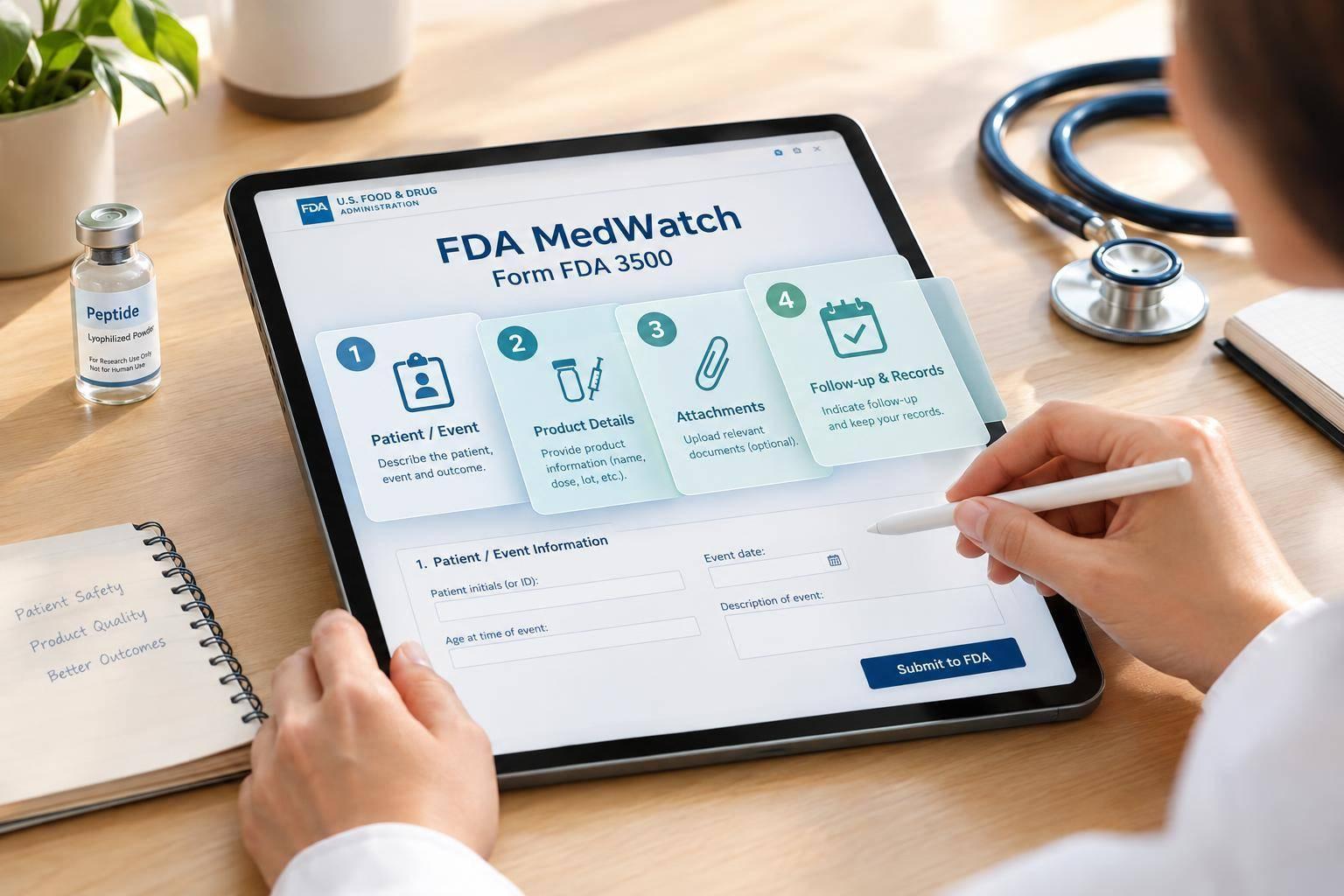
I put patient care first. Once the patient is stable, I report a suspected compounded peptide dosing error using Form FDA 3500 - one report per patient. I don’t need proof of causation, and I can report near misses or errors that caused no harm.
My reporting checklist is simple:
- Gather the facts: Patient outcome, intended and actual doses, syringe markings, product label, pharmacy details, pharmacy sourcing records, and a dated account of what happened.
- Submit the report: Follow FDA’s current online, fax, or mail instructions. Mark missing details as unknown rather than delay submission.
- Keep the records: Save the report, attachments, and submission confirmation.
- Follow up: Monitor the patient, send new information to FDA, and complete separate clinic, pharmacy, and required reporting and compliance steps.
<u>A saved draft is not a submitted report.</u> I check that submission is complete and keep later updates linked to the original report.
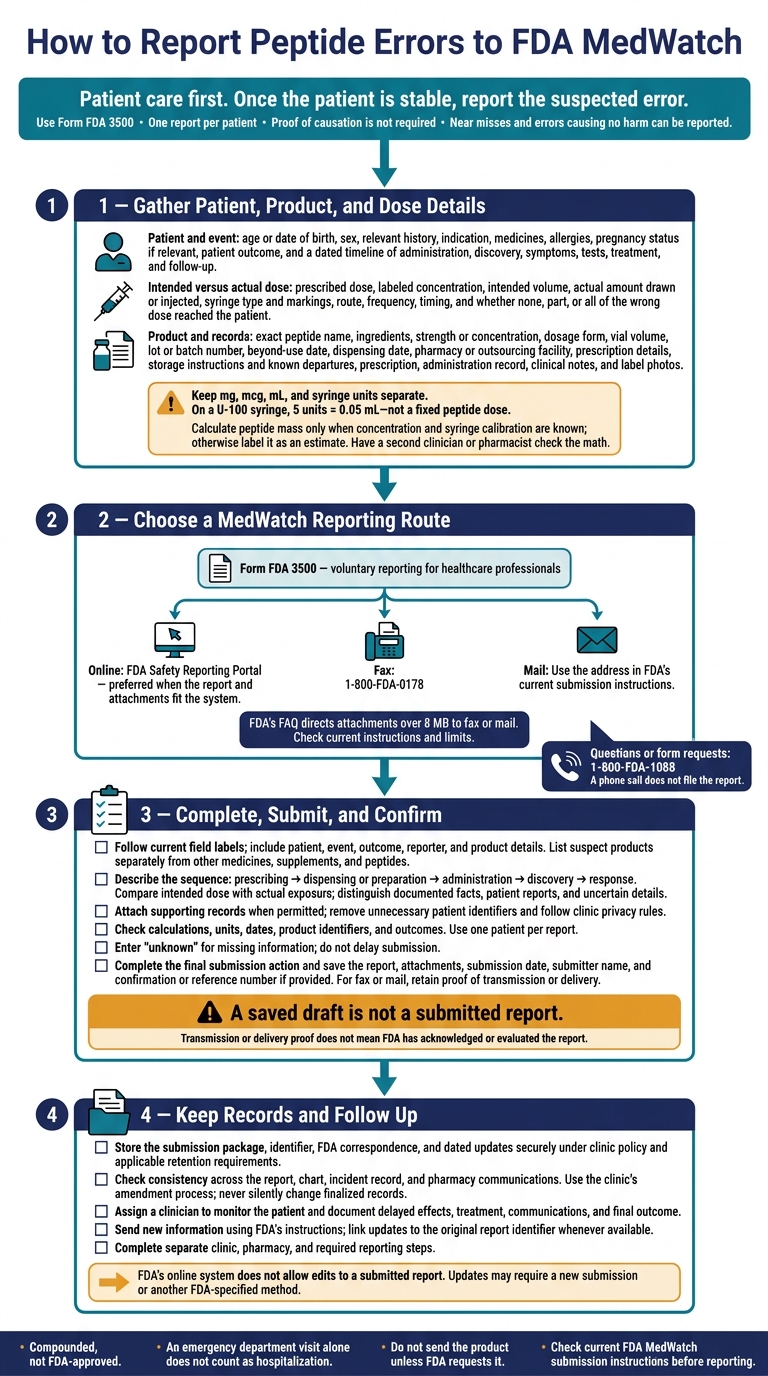
How to Report Peptide Errors to FDA MedWatch
MedWatch Tips & Tools
For more clinical resources for peptide-prescribing professionals, explore our evidence-based guidance and tools.
sbb-itb-7164bd9
Step 1: Gather Patient, Product, and Dose Details
File one MedWatch report per patient. Before submitting, gather the prescription, administration record, patient instructions, clinical notes, and label photos. Follow FDA attachment rules and clinic privacy rules. Use these records to complete Form FDA 3500 accurately.
Record Patient Details and Outcomes
Record the patient’s age or date of birth, sex, medical history, indication, current medications, allergies, and pregnancy status, if relevant. These details help FDA understand the dosing error, any harm, and the circumstances.
Build a dated timeline covering administration, discovery of the error, symptoms, physical exam findings, test results, treatment, and follow-up. Document serious outcomes, including death, life-threatening events, initial or prolonged hospitalization, disability or permanent damage, congenital anomaly, or another medically important event.
An emergency department visit alone does not count as hospitalization. Leave unnecessary patient identifiers out of narratives and attachments.
Compare the Intended and Actual Dose
Compare the intended dose with the actual dose for the compounded product used. Record the prescribed dose, labeled concentration, intended volume, actual amount drawn or injected, syringe type and unit markings, route, frequency, and timing. Specify whether none, part, or all of the wrong dose reached the patient.
Keep mg, mcg, mL, and syringe units separate:
On a U-100 syringe, 5 units equals 0.05 mL, not a fixed peptide dose.
Calculate peptide mass only when both the concentration and syringe calibration are known. Otherwise, label it as an estimate. Note possible conversion, instruction, communication, or device factors without assigning blame. Have a second clinician or pharmacist check the math.
Record Product Details From the Label
Copy the exact peptide name, ingredients, strength or concentration, dosage form, vial volume, lot or batch number, beyond-use date, dispensing date, compounding pharmacy or outsourcing facility, and prescription details.
Include the labeled storage instructions and any known departures from those instructions. Describe the product as compounded, not FDA-approved. For missing details, enter “not listed” or “unknown.” Do not send the product unless FDA requests it.
With these records ready, choose the submission route.
Step 2: Choose a MedWatch Reporting Route
Use Form FDA 3500, the voluntary reporting form for healthcare professionals. Before submitting, check the current FDA MedWatch submission instructions.
Compare Submission Routes and Phone Assistance
With the patient, product, and dose details from Step 1 ready, choose the fastest route your clinic’s workflow supports. Check that the route also supports your attachments.
| Route | Submission method | Appropriate use |
|---|---|---|
| Online | Submit electronically through the FDA Safety Reporting Portal. | Preferred when the report and attachments fit the system. |
| Fax | Send Form FDA 3500 to 1-800-FDA-0178. | Use for paper-based workflows or when files exceed online limits. FDA’s FAQ directs attachments over 8 MB to fax or mail. Check current limits before submitting. |
| Send Form FDA 3500 to the FDA mailing address listed in the current submission instructions. | Use when paper submission is required. | |
| Telephone assistance | Call 1-800-FDA-1088. | Use for reporting questions or form requests only. A phone call does not file the report. |
After choosing your route, complete Form FDA 3500 with the details gathered in Step 1. For future reporting, maintain organized clinical documentation templates to ensure all necessary data is captured during the initial patient encounter.
Step 3: Complete and Submit Form FDA 3500
Use the patient, product, and dose details from Step 1 to complete the form selected in Step 2. This turns the clinical record into a MedWatch report.
Follow the reporting system’s current field labels. Enter patient details, medical history, event and treatment dates, symptoms, relevant test results, treatment, outcomes, and reporter contact information. List suspect products separately from other medicines, supplements, and peptides.
For the compounded peptide, include the product name, active ingredient, labeled strength and concentration, dosage form, route, lot or batch number, prescription number, beyond-use date, compounder or dispensing pharmacy, and any product identifier. Don’t delay submission because details are missing. Enter “unknown” and submit the information you have.
Describe the Error in Order
Tell the story in chronological order: prescribing, dispensing or preparation, administration, discovery, and response. Compare the intended dose with the actual exposure. Include the dose, concentration, volume, route, frequency, timing, and syringe markings.
State whether the event involved a wrong dose, missed dose, duplicate dose, or intercepted error, and whether it reached the patient. Keep documented facts separate from patient reports and uncertain details. Avoid unsupported blame or claims about what caused the event.
Write the narrative so a reviewer can follow what happened without checking other records.
Attach Documents and Check Details
If the submission route and clinic policy allow it, attach the prescription, label, administration record, key lab or test results, and follow-up notes. Remove unnecessary identifiers, but keep the details needed to understand the case.
Before submitting, check dose calculations, units, dates, product identifiers, and outcomes against the documents. Use one patient per report, and label continuation pages with the relevant form section and page numbers.
Confirm Submission and Save a Copy
A draft is not a submission. Follow the reporting system’s final-submission instructions. Verify that the report was submitted, then save or print the report, attachments, confirmation or reference number if provided, submission date, and submitter name.
For fax or mail, keep the completed form and proof of transmission or delivery. That proof does not mean FDA has acknowledged or evaluated the report. Store a copy in the clinic record for the follow-up step.
Step 4: Keep Records and Follow Up
After submitting the report, save the records, check them against the chart, and track follow-up updates.
Store the Report and Check Clinic Records
Keep the submission package, report identifier, FDA correspondence, and dated updates in the designated medication-safety file. Follow applicable federal and state retention requirements, clinic policy, access restrictions, and privacy safeguards.
Check that patient identifiers, product name, concentration, lot or batch number, intended and administered peptide dosing protocols, timing, symptoms, treatment, and outcome match across the report, chart, internal incident record, pharmacy communications, and corrective-action documentation.
Use the clinic’s amendment process - never silently change finalized records. Keep clinical facts and care decisions in the chart. Store peer-review, root-cause analysis, and quality-improvement materials in the protected incident-review system unless policy requires a different location.
Monitor the Patient and Update FDA
Assign a clinician to follow the patient for delayed effects. Document assessments, relevant symptoms and vital signs, dose-exposure estimates, clinical advice, monitoring, referrals, treatment, patient communications, and the final outcome. Also record pharmacy contacts, replacement or quarantine instructions, and case-specific corrective actions, such as independent dose verification or clearer patient instructions.
Send new information to FDA using its instructions and the original report identifier whenever available. Updates may include delayed symptoms, hospitalization, revised product or lot details, laboratory findings, confirmed concentration, outcomes, or labeling or dispensing problems.
FDA’s online system does not allow edits to a submitted report. Updates may require a new submission or another FDA-specified method. Keep each dated update and link it to the original report so the case record stays complete.
FAQs
Does MedWatch reporting replace state reporting requirements?
No. MedWatch reporting does not replace state reporting requirements. Clinics must follow applicable state regulations and state board requirements, especially for compounded products, in addition to FDA MedWatch reporting requirements.
Internal clinic records, state-mandated reports, and FDA submissions each serve a different purpose. One does not replace another. Keep up with the state and federal reporting requirements that apply to your clinic.
How do I report an error affecting multiple patients?
File a separate MedWatch report for each affected patient, including identifiable patient information. Give each patient a distinct case ID, link each report to the shared suspect product and lot number, and cross-reference the reports so the FDA can determine the incident’s scope.
Don’t wait for a complete analysis. Submit verified facts immediately, then update the reports as more information becomes available.
What happens after FDA receives my report?
Keep the case open in your internal records until all follow-up items are resolved. An FDA reviewer may contact your clinic for updated patient outcomes, chart notes, lab results, or confirmation of the product lot.
If new clinical information becomes available - such as a final diagnosis or hospitalization - you must submit a follow-up report that references the original case so FDA can link the updates.